Scan food.
Know what's inside.
Point your camera at any barcode and Barliva reveals an explainable 0–100 health score, a full ingredient breakdown, additives, allergens and nutrition — in plain language. No product on file yet? Snap the label and Barliva reads it for you.
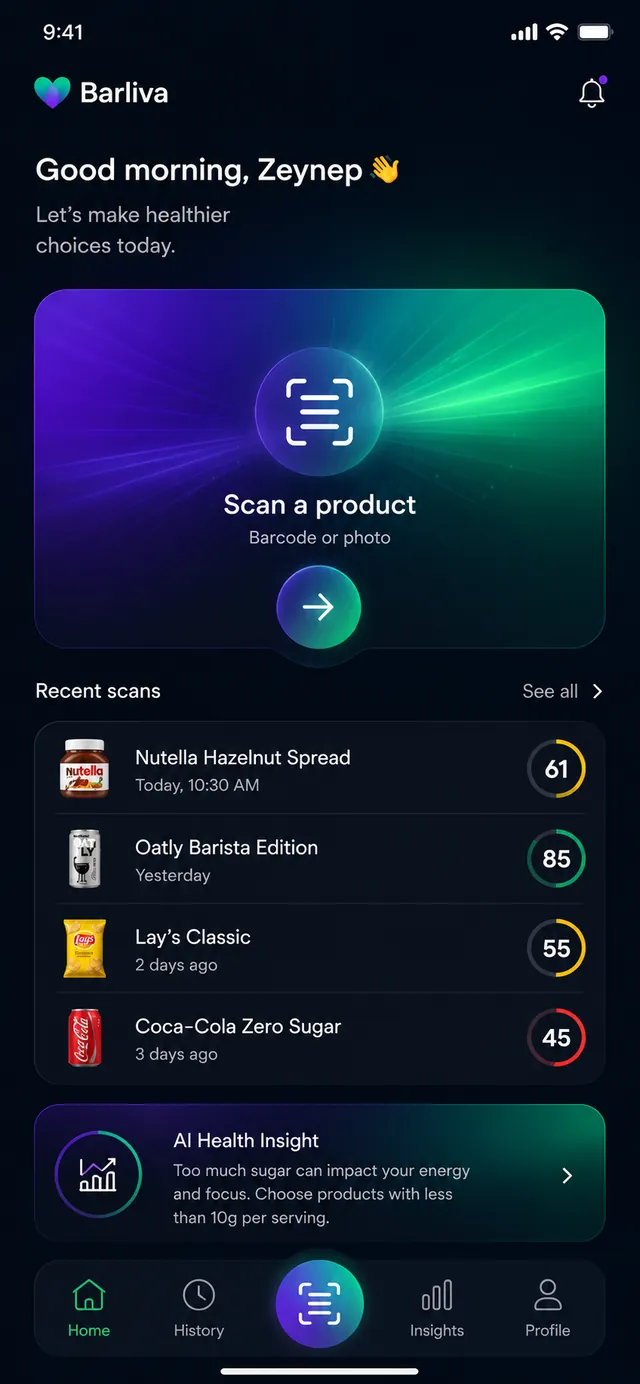
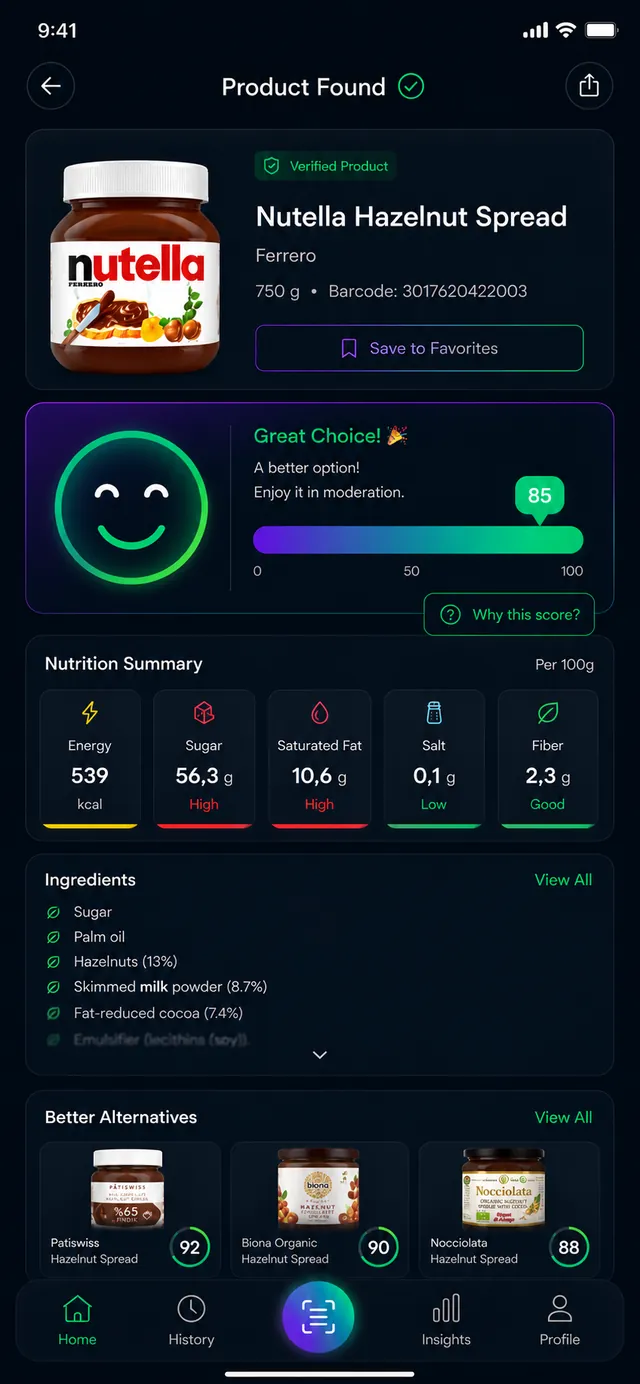
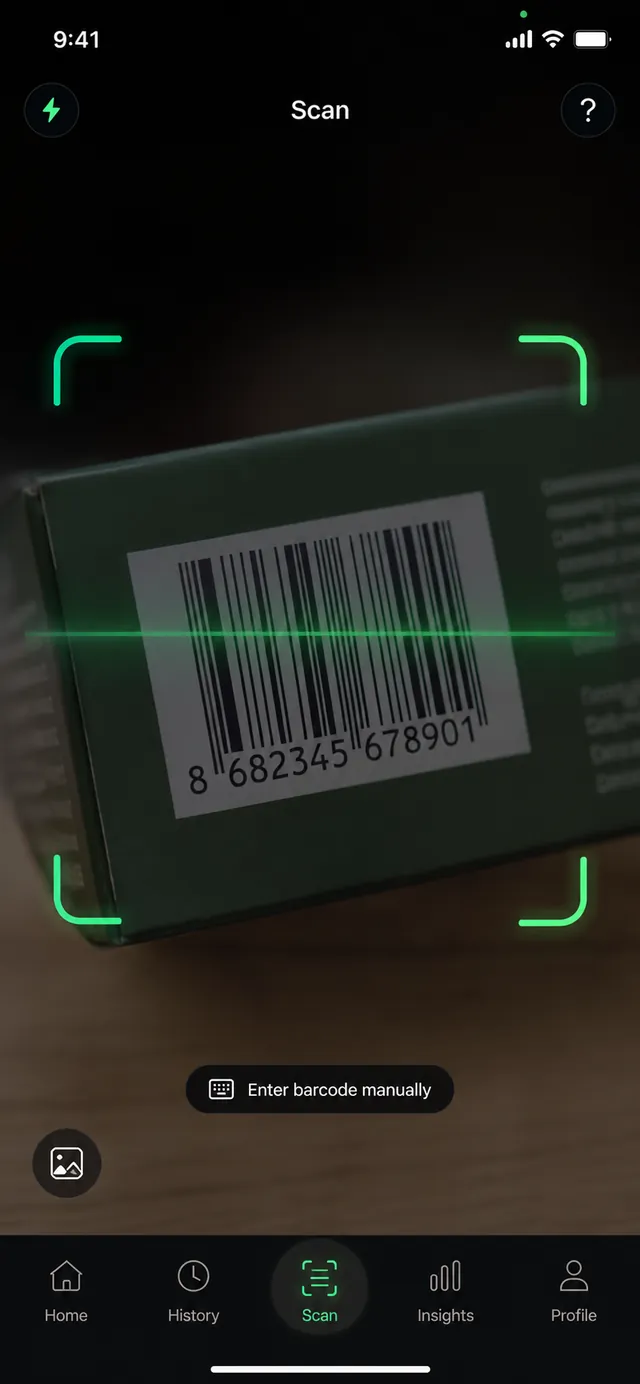
A food intelligence platform,
in your pocket.
Barliva turns the barcode on a product into clear, structured knowledge. Every scan is backed by a food‑intelligence pipeline that resolves messy, multilingual product data into canonical ingredients, additives and allergens — then explains what it means for you, in plain language.
Barcode scanning
Point the camera at any barcode — or type it in by hand — to pull up a product in seconds.
Product information
Brand, name, images and category — the essentials, structured and consistent across products.
Ingredient transparency
Every ingredient identified and classified, with additives mapped to their E‑numbers.
Nutrition facts
Energy, sugar, fat, salt and more — laid out clearly, with the values that move the score.
Additives & allergens
Set the allergens you avoid and Barliva flags them; additives are explained, not just listed.
Label analysis
If a product isn't on file yet, photograph the label and Barliva reads it to build the record.
Three steps to a smarter choice.
Scan the barcode
Open Barliva and point your camera at the barcode. No match in the camera? Enter the digits by hand, or snap the label to analyze it.
Barliva analyzes it
Barliva looks up the product and breaks down its ingredients, additives, allergens and nutrition into structured, explainable data.
See what's inside
Get a 0–100 health score with every factor that raised or lowered it — plus healthier alternatives in the same category.
A look at the Barliva app.
Interface previews from Barliva. Products and scores shown are illustrative examples.
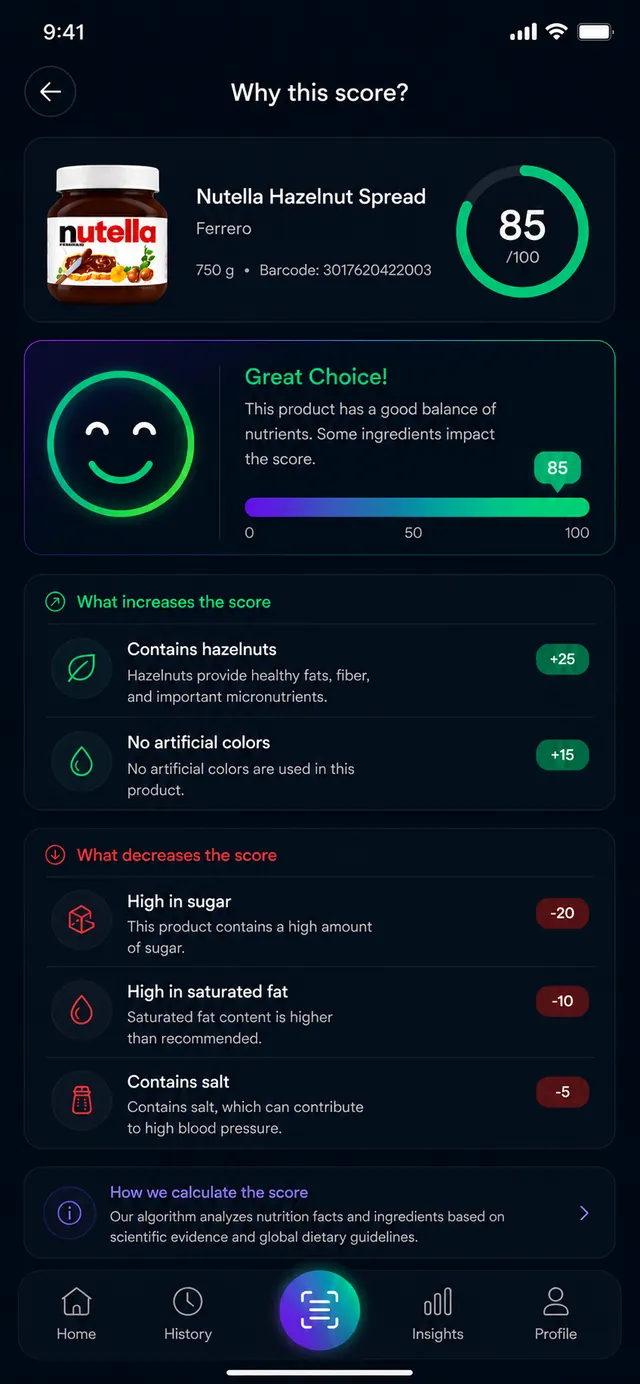
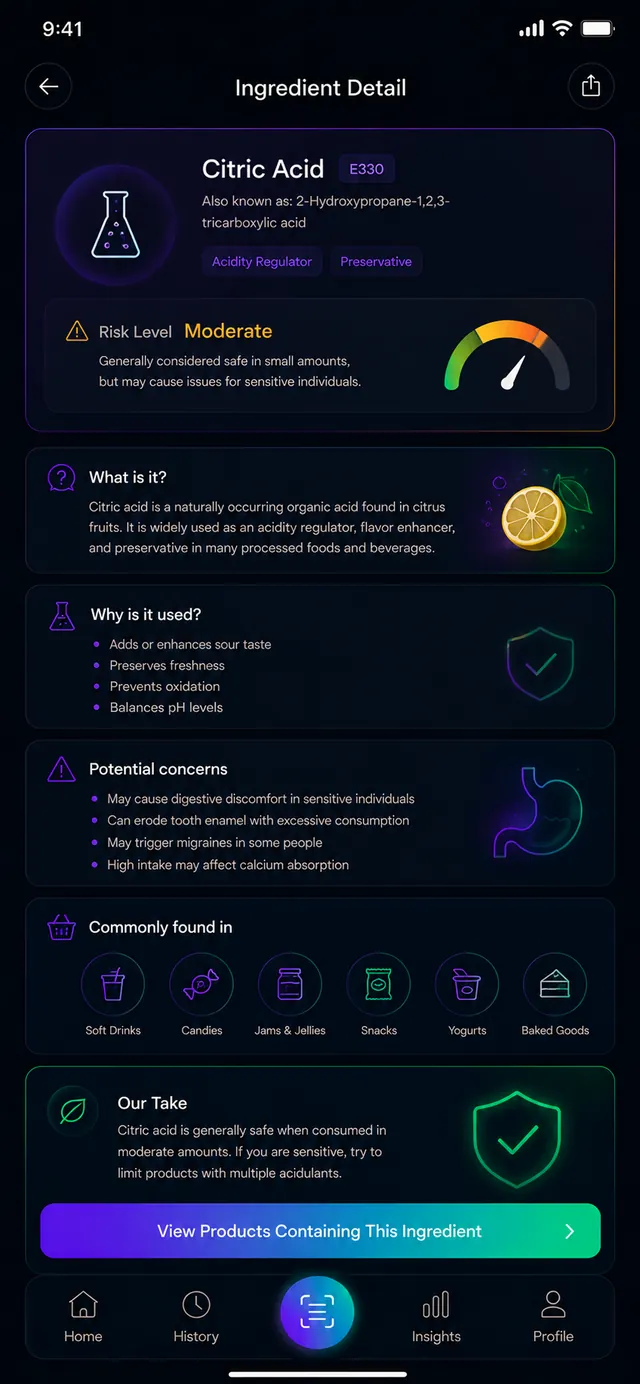
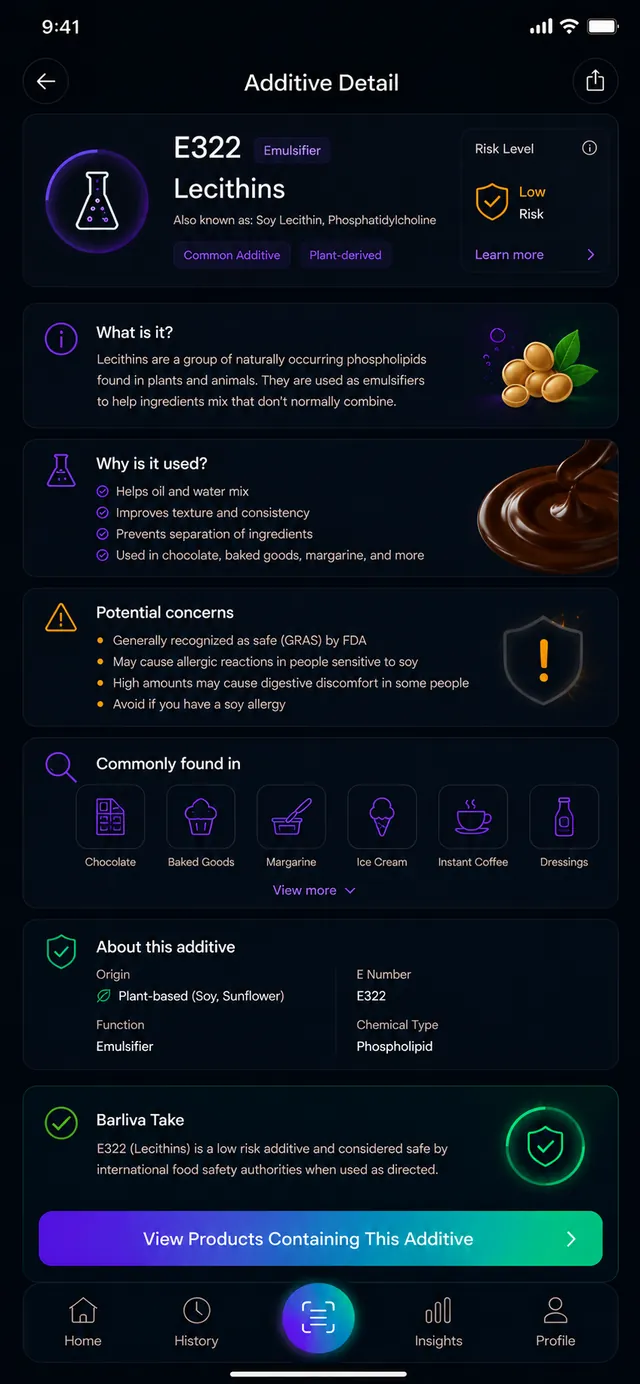
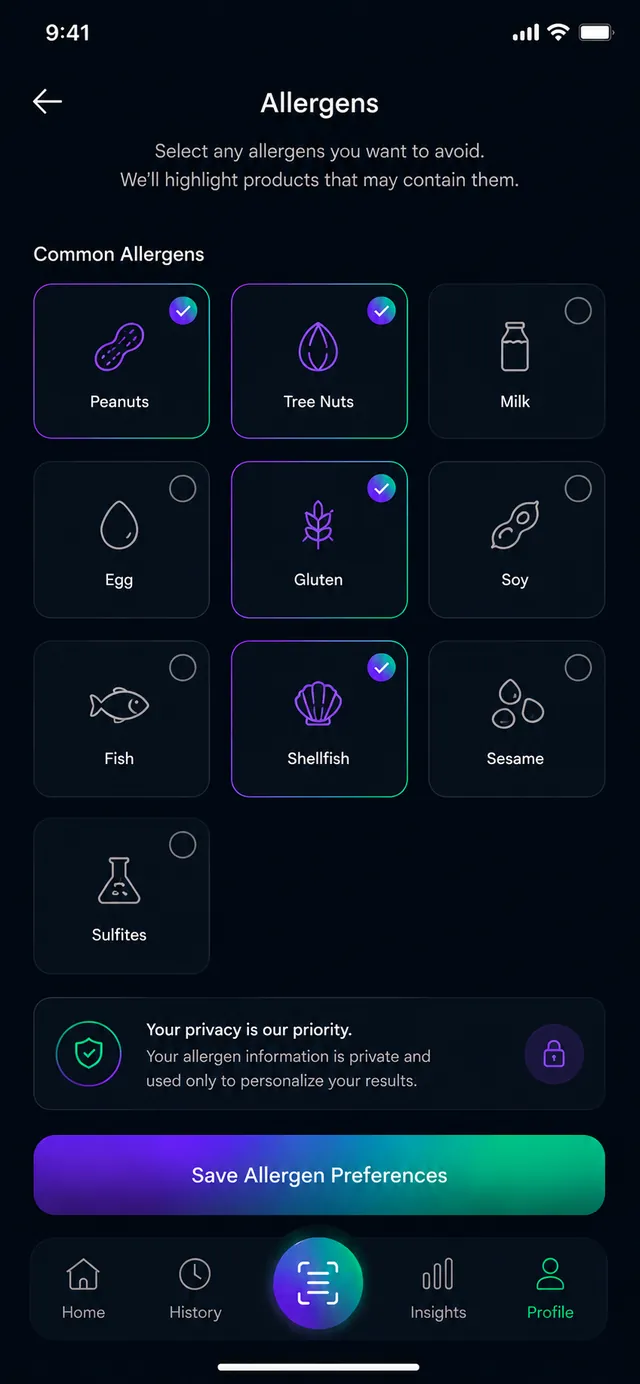
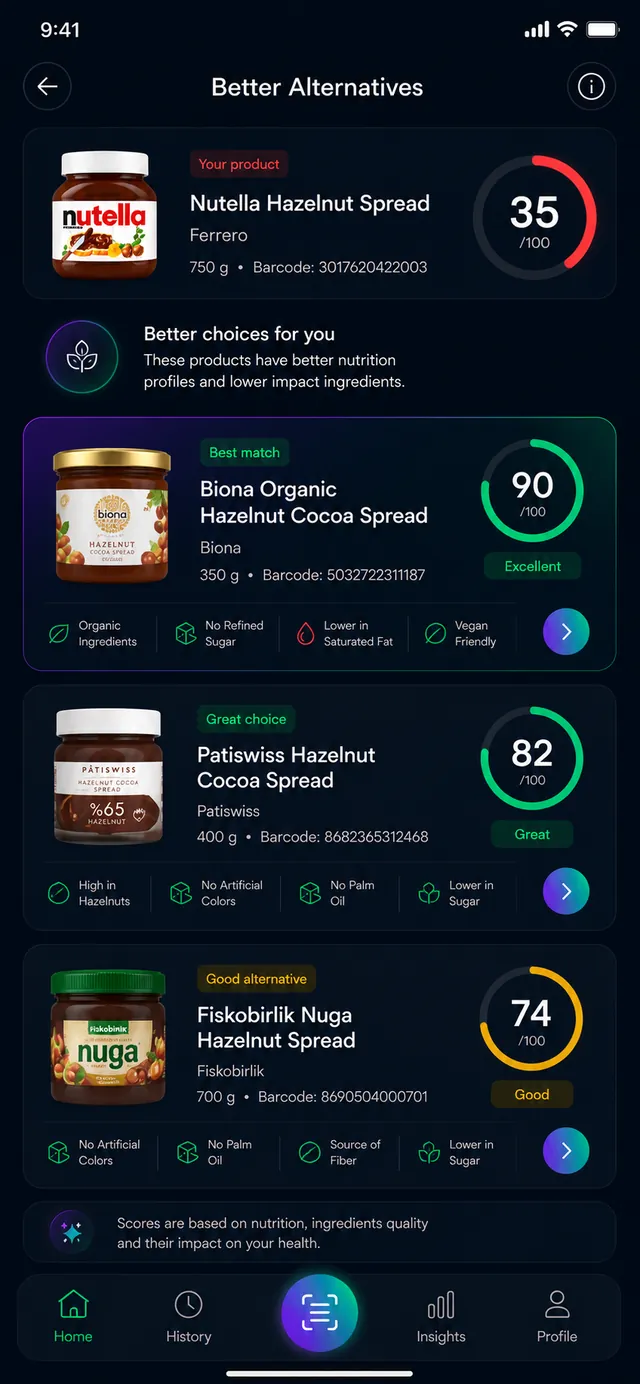
Everything about a product, in one tap.
Scan any barcode in a tap.
Open the app and point your camera — Barliva detects the barcode and pulls up the product. No camera match? Enter the barcode on a keypad, or photograph the label to analyze it.
- Live camera barcode scanning
- Manual entry for 8, 12, 13 and 14‑digit codes
- Recent scans and favorites, always one tap away
A 0–100 score you can actually understand.
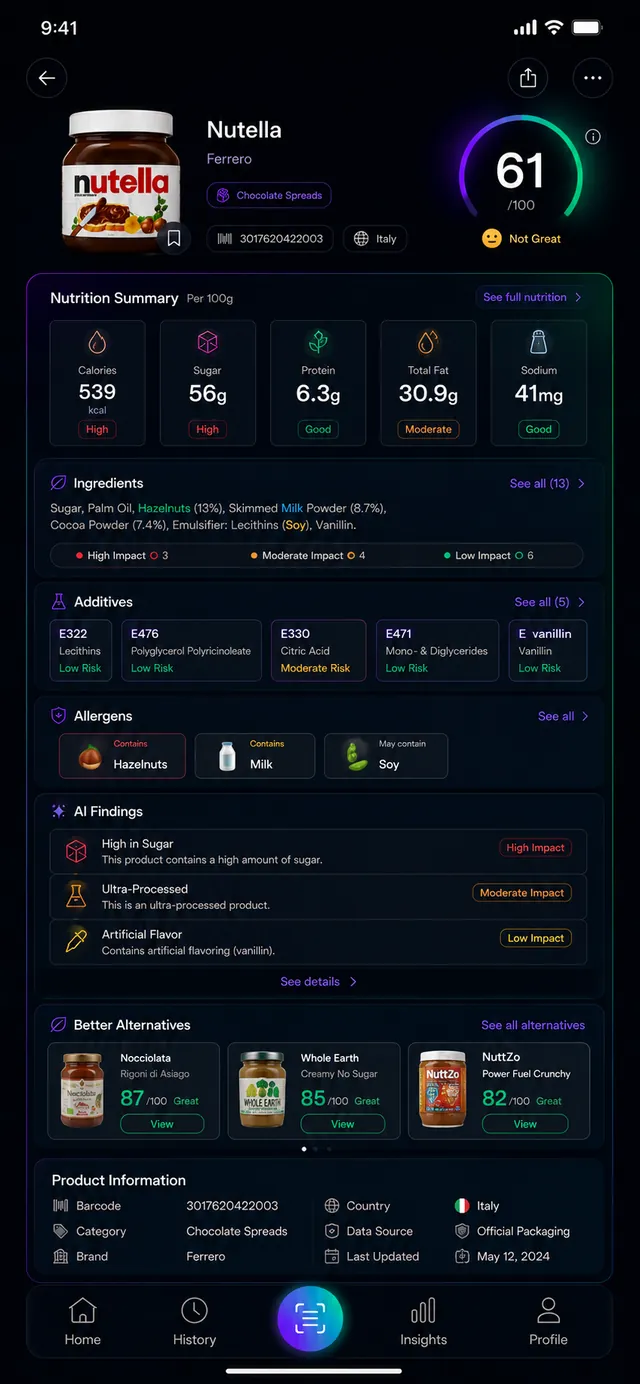
Every product gets an explainable score. Tap “Why this score?” to see exactly which factors raised or lowered it — from sugar and saturated fat to additives and processing — so the number is never a black box.
- Clear 0–100 score with a plain‑language verdict
- Every contributing factor shown, up and down
- Category‑aware, so foods are judged fairly
Ingredients, additives and allergens — explained.
Barliva breaks the label into structured data. Tap any ingredient or additive for what it is, why it's used and what to know. Additives are matched to their E‑numbers, and the allergens you choose to avoid are flagged automatically.
- Every ingredient identified and classified
- Additives mapped to E‑numbers (e.g. E322 lecithin)
- Personal allergen alerts you control
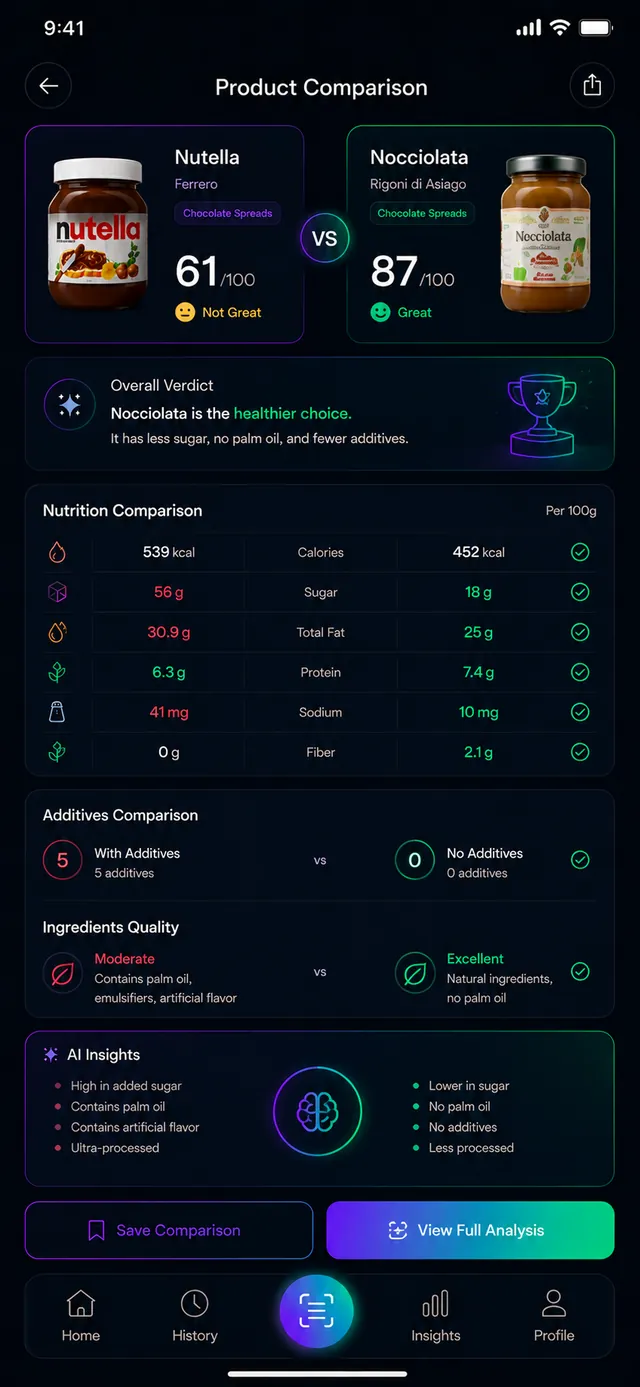
Find a better option, instantly.
When a product scores low, Barliva suggests higher‑scoring alternatives in the same category — and you can put two products side by side to compare nutrition, additives and ingredient quality before you decide.
- Healthier alternatives in the same category
- Side‑by‑side product comparison
- Compare nutrition, additives and ingredient quality
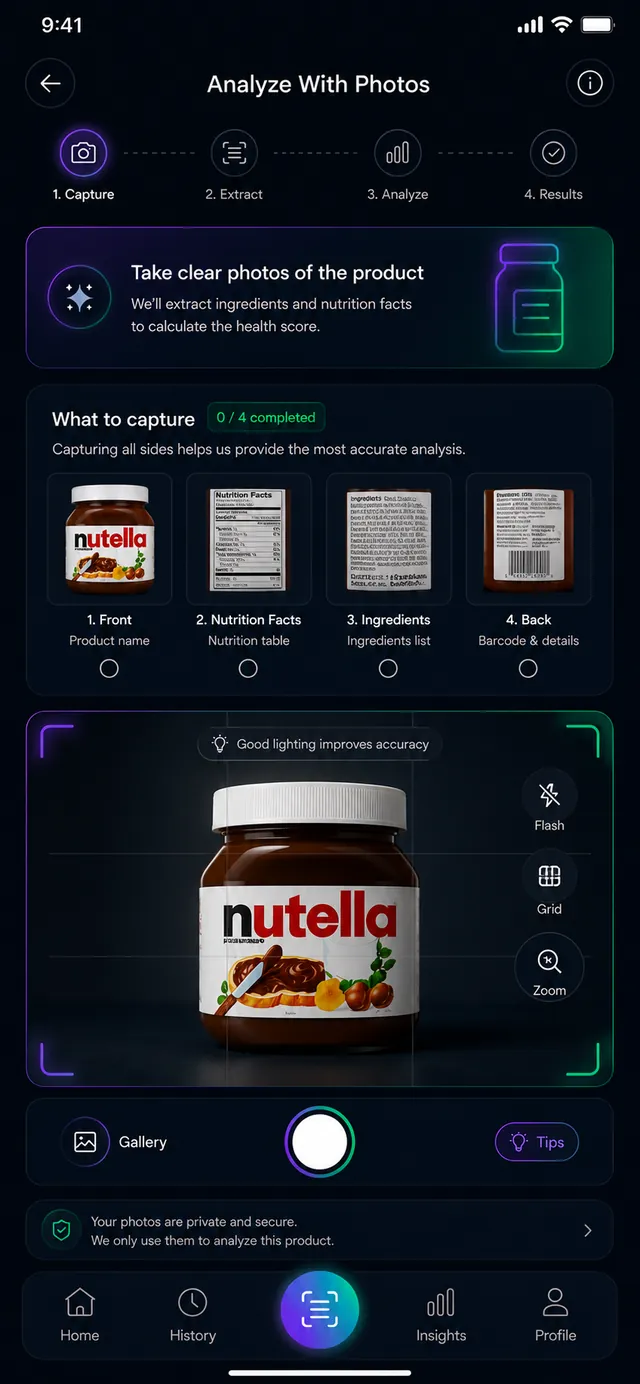
Snap the label and Barliva reads it.
If a barcode isn't in the database yet, take a few photos of the front, nutrition table and ingredients. Barliva extracts the details to build the product — detailed analysis typically takes about 30–90 seconds — and it's community‑powered, so coverage keeps growing.
- Guided multi‑photo capture (front, nutrition, ingredients)
- Reads the label to create a structured product
- Community‑powered — every scan improves coverage
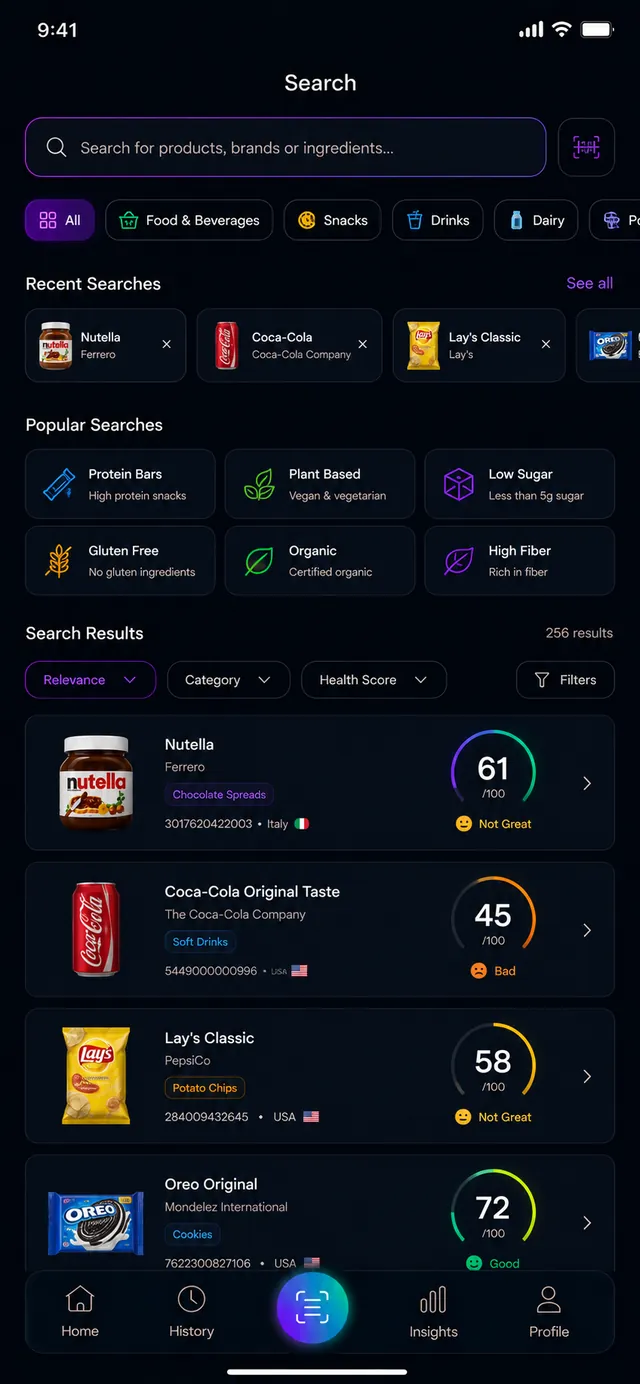
Search
Look up products by name or category, with recent and popular searches a tap away.
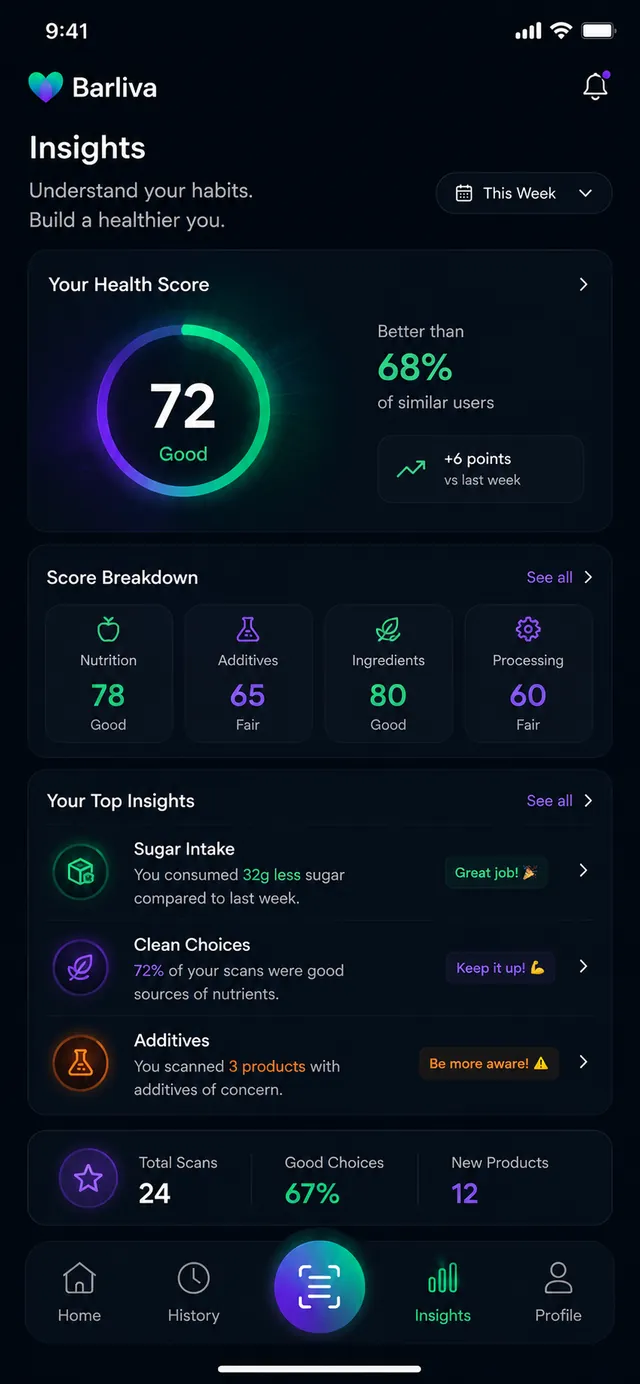
Weekly insights
A weekly health score, a score breakdown and the trends behind your scanning habits.
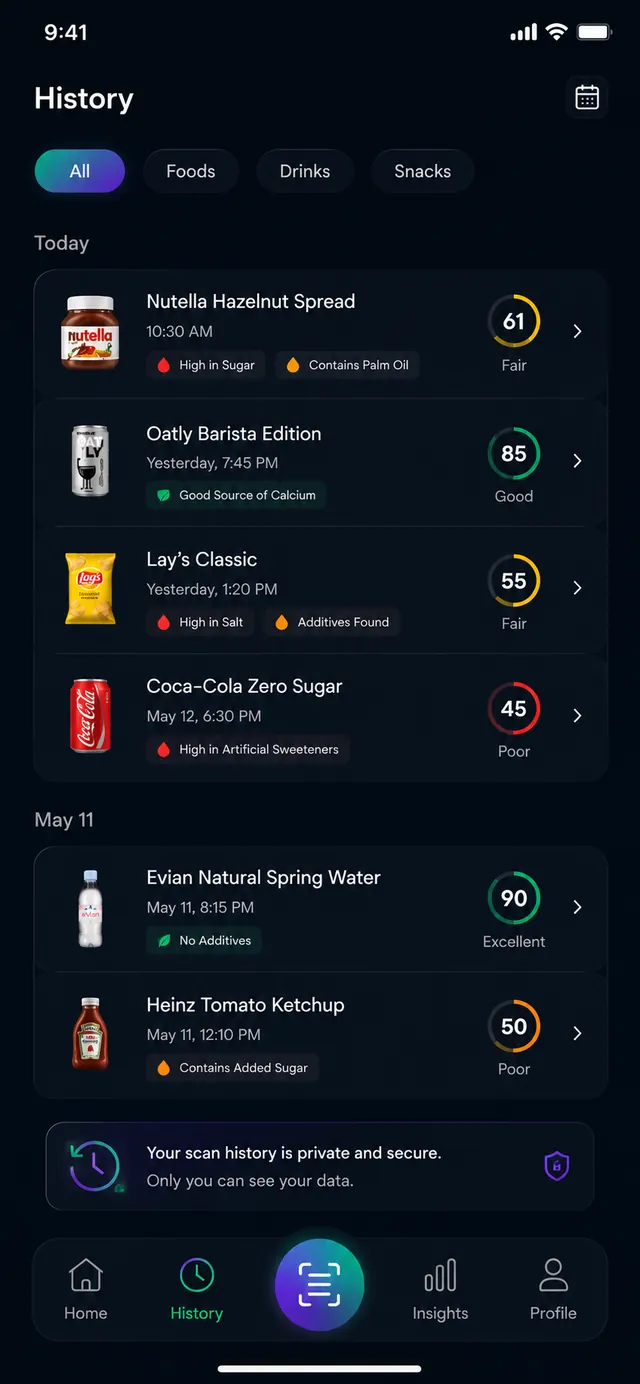
History & favorites
Everything you scan is saved to a private history, and you can favorite products to revisit.
Health goals
Pick a primary goal so the app can frame products around what matters to you.
17 languages
Use Barliva in your language — the app and its food data span 17 languages.
Privacy controls
Your scan history stays private, and you can export or delete your data whenever you want.
Clarity you can trust.
Speed
A barcode lookup returns a result in seconds — no decoding labels in the aisle.
Transparency
Every score shows its reasons. No hidden formulas, no mystery verdicts.
Understanding
Ingredients and additives explained in plain language — not just listed on a label.
Reliable data
Built on the open OpenFoodFacts catalog, normalized with AI and improved by the community.
Built for iPhone and Android.
Barliva is a single, native app built with Flutter — fast, fluid and designed for one‑handed use in the supermarket. A dark, focused interface keeps the score, ingredients and alternatives front and center.
- Native performance on iOS and Android
- Designed for quick, one‑handed scanning
- Works in 17 languages, right‑sized for any screen
Honest by design.
No black boxes, no inflated numbers. Here's exactly where Barliva's information comes from and how it's shown.
How products are analyzed
Barliva builds on the open OpenFoodFacts catalog, normalizes records with AI into canonical ingredients, additives and allergens, and keeps improving them as people scan.
How information is shown
Scores are explainable: you see every factor behind the number, additive coverage spans the full EU/EFSA list, and risk notes appear only where they've been reviewed.
Your privacy
Scanning runs through your camera, your history stays private, and you can export or delete your data at any time from the app.
Barliva provides food information to support your choices and is not medical or dietary advice.
Questions, answered.
What is Barliva?
How does scanning work?
What if a product isn't found?
What is the health score and how is it calculated?
Is Barliva free?
Which languages are supported?
Is my data private?
When can I download the app?
Be the first to scan smarter.
Barliva is coming soon to iOS and Android. Leave your email and we'll tell you the moment it lands.